
Traffic Court Records in Jefferson County
Traffic cases in Jefferson County land in Jefferson Superior Court, which handles infractions and other noncriminal matters under the county's official court page and local allocation rules. No separate city or town traffic court operates here. So a ticket written in Madison, Hanover, Dupont, or Brooksburg belongs to that one Superior Court docket, not to some assumed municipal portal.
What does the traffic court file show? When public, it can include the citation, the allegation, the cause number, appearances, settings, a plea or admission, disposition, payments, and later court events. The unified Clerk keeps the official Superior Court file. Indiana ePay and MyCase are public access layers on top of it, not substitutes for it.
Jefferson Superior Handles Traffic
The citation is the routing document, so read it first. It names the court. It carries the UTT or ticket number, and prints response instructions with a date. Jefferson's published sources give no single universal response deadline. They also give no first-setting procedure, deferral program, or defensive-driving dismissal fee. Follow the ticket's own instructions rather than a general rule of thumb.
Quick answer: Jefferson Superior Court is the county venue named for traffic and infraction matters, subject to the actual citation and any reassignment.
Superior Court publishes 812-265-8914 for court and setting questions. For the file, the amount due, or copies, the county Clerk publishes 812-265-8922.
How to Look Up a Traffic Ticket
Indiana ePay Public Access is the statewide search and payment tool for tickets. The UTT number is the best search key. A driver-license number works too, as does a name paired with a date of birth. Note that the license field only routes you to the ticket. It is not a BMV driving record request.
- Keep the paper citation and enter its Ticket or UTT number in ePay.
- If needed, use the license-number field or first, middle, last name plus date of birth.
- Compare the issuing agency, ticket date, court, UTT, balance, and Odyssey case number.
- Open MyCase with the case number to read the public Case Summary.
- If eligible for payment, verify the displayed total and fees before submitting.
- If no result appears after the stated waiting period, call the court or Clerk.
| Search mode | Fields | Result use |
|---|---|---|
| Ticket | Ticket or UTT number | Most direct citation lookup |
| License | Driver-license number | Alternate ticket search |
| Name | First, middle, last, DOB | Broader result list; protect DOB |
Jefferson ePay Search Screen
The official ePay interface lays out three separate search modes side by side. It also warns that not every Indiana ticket is available or eligible for online payment.
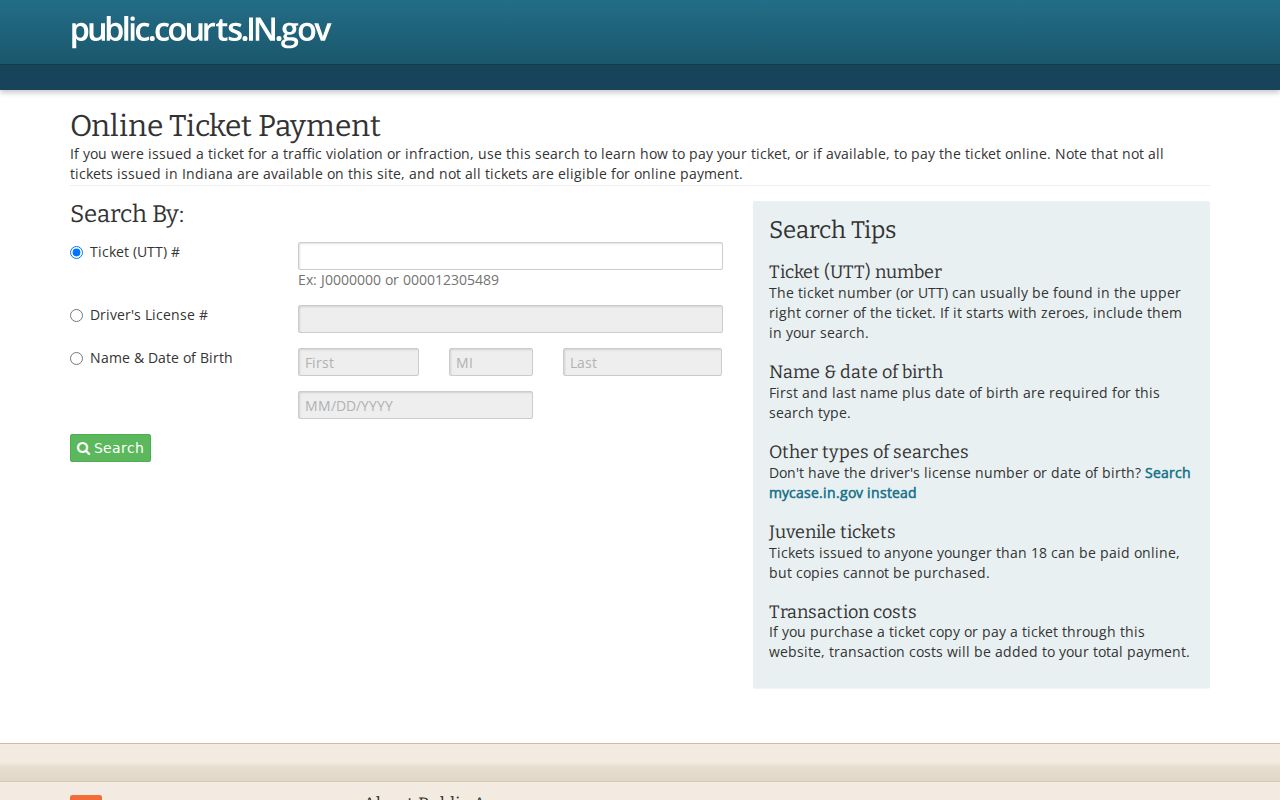
A result can link a UTT to an Odyssey case number. That number then opens the door to a fuller MyCase search.
Ten-Day Jefferson Ticket Gap
Issued within the last ten business days? A ticket may not show up in ePay yet. That gap is a publication delay, nothing more. It does not mean the citation was withdrawn. So keep the paper ticket and follow its printed instructions. Once ten business days pass with no result, try MyCase and call the sentencing court.
Work down the fallback chain: citation, ePay, MyCase, Hearing Calendar inside its window, then Jefferson Superior Court or the Clerk. An older or restricted record may need the archive or a Rule 9 request. The Clerk counter sits in Room 203 at 300 East Main Street, Madison, Indiana 47250. It is open 8:00 a.m. to 4:00 p.m.
Finding Your Traffic Court Date
Begin with the date printed on the citation itself. If ePay hands you an Odyssey cause number, open MyCase. Read the newest setting event. The Indiana Trial Court Hearing Calendar covers the prior seven days and next four weeks. Its Jefferson selector, though, has exposed Circuit Court rather than Superior traffic settings. Treat it as one clue, not a complete Superior traffic calendar.
| Citation number | UTT identifier used in ePay; do not confuse it with the court cause number |
|---|---|
| Case number | Indiana's four-part structure uses a court identifier, year and month, case type, and sequence; use the exact number returned by ePay or MyCase |
| Date and time | Read the latest future setting and any later reset or vacated event |
| Court | Use the court named on the citation or Case Summary |
| Hearing type | Describes the event, not its result |
| Location | Confirm with the court when the matter is near or sources conflict |
A missing calendar result cancels nothing. The citation and hearing still stand, so call the court before the printed deadline.
Paying or Contesting a Ticket
ePay takes payment only when a ticket appears and is eligible. Jefferson County's Payment Center and court FAQ also route court payments. Credit card, cash, certified bank check, and money order are all listed. Verify the amount and cause number first, though. To contest, use the response method on the citation. Contact the named court before the deadline.
| Choice | First action | What to verify |
|---|---|---|
| Pay online | Find an eligible ticket in ePay | Ticket, court, balance, processing charges |
| Pay through county route | Contact Clerk or Payment Center | Cause number, amount, accepted method |
| Contest or request a date | Follow citation and call named court | Deadline, setting, required appearance |
| Ticket absent | Wait stated posting period, then call | Court receipt and cause number |
Do not ignore a setting. Indiana Clerks report failure-to-appear and failure-to-pay events through the state process; confirm the current court instruction at once.
Jefferson Payment Questions
The official county court-fee and payment FAQ describes local payment routes.
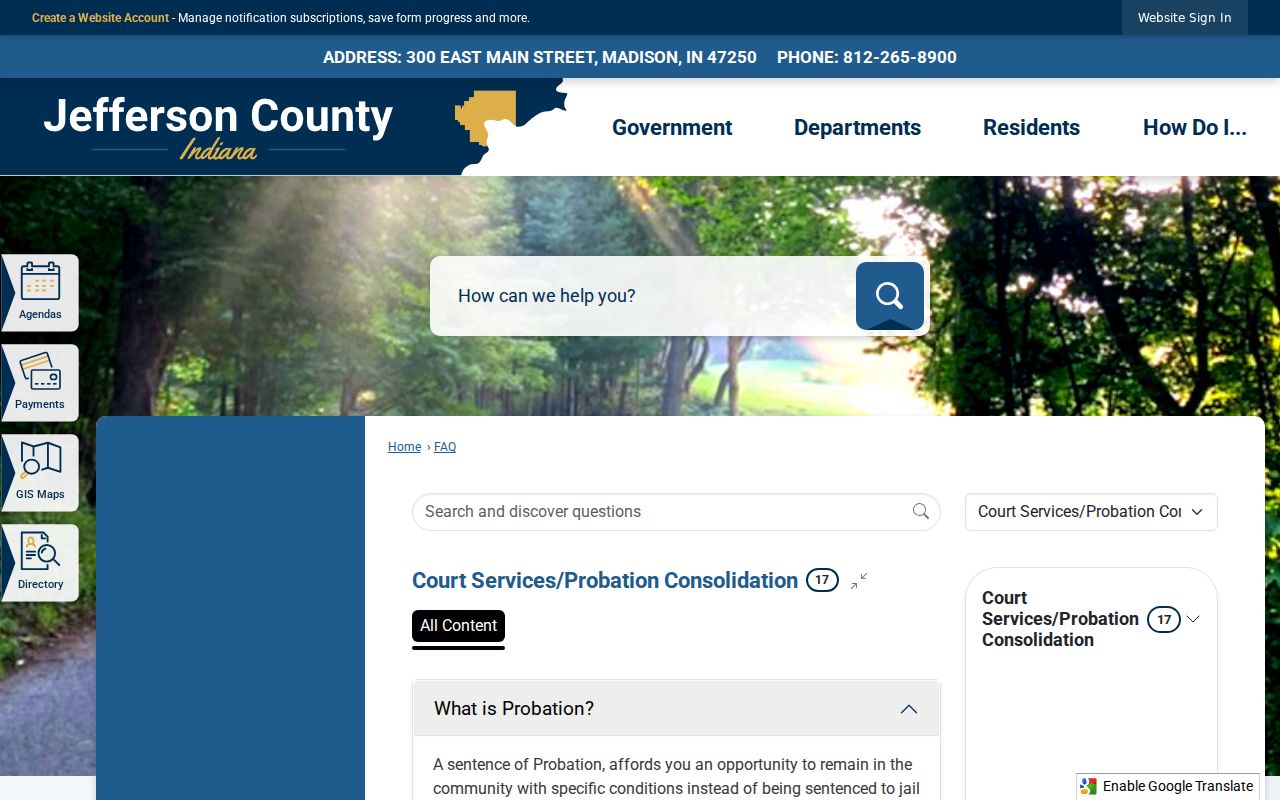
Those payment methods do not add up to a countywide fine schedule. The ticket and court file control the amount due.
FTA and FTP Mean Different Events
FTA stands for failure to appear. FTP stands for failure to pay. Indiana's official motor-vehicle-violations publication spells out separate reporting processes and consequences for each, so read a portal status or BMV notice against the actual court events instead of guessing from the abbreviation.
- FTA
- A reported failure to appear for a required court event.
- FTP
- A reported failure to pay after the applicable court and notice process.
- Disposition
- The court's result or closing action on the citation or charge.
- UTT
- The ticket identifier used to search the statewide traffic application.
Confirm any deadline with the current state publication, the citation, and the court.
Court Traffic Record vs Driver Record
Two different offices keep two different files. The Jefferson County Clerk holds the court case record. The Indiana Bureau of Motor Vehicles holds the state driving record. The court file documents what was filed, set, decided, and paid, while the BMV file reflects licensing information reported through state processes.
| Record | Custodian | Shows |
|---|---|---|
| Traffic court case | Jefferson County Clerk | Citation, settings, plea or admission, disposition, court payments and events |
| Driving record | Indiana BMV | Licensing information reported to the state |
The BMV Driver Safety Program is an approved course program, capped at a published maximum cost of $55. Qualifying cases can earn a four-point credit. It is not a Jefferson court disposition, so don't read it as one.
Fees and Copies
The live ePay fee endpoint posts several charges, and the application can change them. Read the final screen before paying. Any court fine or cost depends on the ticket and the case. Jefferson publishes no universal fine schedule. There is no deferral charge, defensive-driving dismissal fee, or traffic-copy fee either.
| Item | Observed amount |
|---|---|
| ePay processing | 1.96% |
| Instant Access fee | $0.40 |
| Division fee | $2.50 |
| IOT fee | $0.50 |
| Court fine and costs | Depends on ticket and court |
| Traffic copy or certification | Not published; ask Clerk |
An ePay receipt is not a certified copy. If you need a plain or certified Jefferson County traffic court record, contact the Clerk with the UTT, the cause number, the document, and its date. Ask for the current fee and the delivery terms before you order.
Missing Jefferson Traffic Records
An online traffic record can be missing for several reasons. The agency that issued the ticket may not have sent it yet. The court handling it may not use ePay. Juvenile citations can carry access limits. A MyCase event can appear with no document image behind it. Keep in mind that none of this tells you the result of the citation.
Hold onto the citation itself. Search its UTT number first. Wait out the ten-business-day posting period when one applies. Then run the Odyssey number through MyCase. For a setting, call Jefferson Superior Court; for the official file, call the Clerk. Arrange mail or fax requests in advance, since the county publishes no general traffic-copy form, no fixed turnaround, and no set certification price. And if an item is excluded from public view, ordinary public-record requests will not get around the Indiana court-record rules.
Verify Jefferson Traffic Events
A payment screen, a hearing listing, and a Case Summary each answer a different question. The payment screen tells you whether an eligible ticket can be paid there. A hearing listing shows a setting inside the calendar's current window. The Case Summary lays out the court's events in order. Compare all three whenever a ticket was reset, recently paid, or transferred.
When they conflict, the official court file controls. Have the Clerk confirm the cause number and the current balance. Have Superior Court confirm any appearance coming up soon. An old setting may no longer be active. A missing ePay button does not cancel your duty to respond. And a payment alone is not a certified disposition record.